How to Turn Blog Content Into Qualified Leads
There is a persistent myth in content marketing: publish consistently, rank on Google, and leads will follow. The reality is more nuanced. Many teams build substantial blog audiences without ever seeing those readers convert into a pipeline. Traffic is not the destination — conversion is.
Blog content can be one of the most cost-effective lead-generation channels for a marketing team. But that potential is only realised when blogs are designed with conversion in mind, not just search ranking. According to the Demand Stage, 76% of content marketers rely on blog posts as a key strategy for generating leads.
That third number deserves a pause. Nearly every person who lands on your blog for the first time is not going to convert immediately. Blogs must therefore do two jobs: attract the right reader and then nurture that reader along a path toward conversion.
Understand the full case for using a dedicated blogging platform like SubPage before investing in a content strategy — the infrastructure you publish on matters as much as what you publish.
What is a qualified lead from Blog Content?
Not every person who reads your blog is a lead. Not every lead is a qualified one. Clarity here prevents wasted effort and inflated pipeline metrics.
The three tiers
A blog reader is an anonymous visitor consuming content with no identifiable intent yet. A lead is a visitor who has taken an action — submitting an email, downloading a resource — and can now be contacted. A qualified lead is a lead who matches your ideal customer profile and has signalled genuine buying interest through their behaviour.
Signals that a reader is becoming qualified
Behavioural signals tell you more than the content they read. Watch for: downloading a resource directly related to a product use case, subscribing to a newsletter after reading multiple product-adjacent posts, clicking through from a blog post to a pricing or features page, requesting a demo or signing up for a free trial after arriving via blog, and returning to the blog multiple times within a short window.
Why most blogs fail to generate leads
Here is the truth: most blogs do not fail because the writing is bad. They fail because the structure is wrong. If you know what to watch out for before you start, you can skip the frustrating phase most bloggers go through.
Writing for readers who will never buy
There is a tempting trap in blogging — chasing topics that get lots of searches, even when the people searching for them would never become your customers. A guide about "what is content marketing" might bring in thousands of visitors who are students doing research, not business owners ready to invest in a tool. A well-planned SaaS content marketing strategy starts by asking who you actually want reading your blog, and then working backward from there.
No clear next step for the reader
Imagine reading a really useful article, getting to the end, and then... nothing. No suggestion of what to do next, no link to something relevant, no offer of any kind. That is the experience most blog visitors have, and it is why they leave and never come back. Every single post you publish should have a logical next step built into it.
CTAs that nobody clicks
You have probably seen "Contact us to learn more" at the bottom of a blog post before. Did you ever click it? Probably not. Generic calls to action do not work because they are not connected to anything the reader was just thinking about. The do's and don'ts of SaaS blogging covers this in detail — a CTA works when it feels like a natural next step from the content the reader just consumed, not a billboard slapped onto the end of a post.
No way to capture interest
If someone reads your post, finds it genuinely useful, and wants to stay connected with you, can they? If your blog has no newsletter signup, no downloadable resource, no form of any kind, that interested reader has nowhere to go. They will close the tab and probably forget you exist. Lead capture does not have to be complicated. Even a simple email signup at the right moment can change everything.
The Blog-to-Lead Conversion Funnel
One of the most useful mental models for new bloggers is the idea of a content funnel. Not every post should try to do the same job. When you plan your blog content with the buyer journey in mind, the whole thing starts working together as a system rather than a collection of disconnected articles.
- At the awareness stage, your reader does not know you yet. They found you through a search or a share. Your job here is to be genuinely helpful, build trust, and give them a reason to subscribe or come back. Educational, problem-focused content works best at this stage.
- At the consideration stage, your reader knows their problem and is starting to look at solutions. This is where comparison posts, strategy guides, and "how to choose" content fit in. Your job is to help them think clearly — and naturally, your product should be part of that conversation.
- At the decision stage, your reader is close to choosing. Product-focused posts, real use cases, and solution walkthroughs are what move the needle here. This is where a well-placed CTA to start a free trial or book a demo can directly translate into a new customer.
Most new bloggers only publish awareness-stage content. Adding a few well-crafted consideration and decision-stage posts can make an enormous difference to how many readers actually convert.
Strategies to turn blog readers into qualified leads
Now for the practical part. These are the five strategies that will have the biggest impact on your blog conversion rate, and all of them are things you can start implementing right away on SubPage.
Add contextual lead magnets
A lead magnet is something valuable you offer in exchange for a reader's email address. The keyword is contextual — whatever you offer needs to be directly connected to the post the reader is already reading. If you have written a guide on planning a content calendar, offer a downloadable content calendar template. If you have written about hiring, offer a job description checklist. The more relevant the offer, the higher the conversion rate. Good formats to start with include templates, checklists, short playbooks, and downloadable guides.
Place CTAs at multiple points in the post
Most readers do not make it to the end of a blog post. If your only CTA lives in the final paragraph, the majority of your visitors will never see it. A simple fix is to distribute CTAs across the post — a light, low-commitment one near the top, a more specific offer in the middle after your most useful section, and a direct conversion CTA at the end. A sidebar or sticky prompt works well for high-traffic posts where you want something persistent without being intrusive.
Go back and improve your best posts
If you have any posts that already get decent traffic, those are your highest-leverage opportunity right now. They are already ranking. They are already bringing people in. Adding a lead magnet, a product reference, or a demo link to a post that is already performing is far faster than building new rankings from scratch. Make a habit of revisiting your top posts every quarter and asking whether they have a clear conversion path.
Offer content upgrades
A content upgrade is a bonus piece of content created specifically for one blog post. Unlike a generic lead magnet that lives across your whole site, a content upgrade is tied to a single article. For example, if you write a post walking through five steps to do something, a content upgrade might be a printable worksheet for applying those five steps. Because it is so relevant to what the reader just consumed, conversion rates on content upgrades tend to be significantly higher than generic offers.
Add interactive elements
Quizzes, self-assessments, calculators, and interactive checklists do something passive reading cannot — they create a moment of active engagement. When a reader stops scrolling and starts interacting, they are more invested in the experience and more likely to take the next step. Even something simple like an embedded quiz at the end of a post asking "Which content strategy is right for your stage?" can meaningfully increase time on page and lead capture.
Optimise Your Blog Design for Lead Generation
Great content inside a poorly designed page will underperform every time. When someone lands on your blog, the design is doing a lot of quiet work — guiding their eyes, maintaining their attention, and leading them toward the actions you want them to take.
A few things make the biggest difference. Use clear headings so readers can scan and find the sections most relevant to them — many people read blogs non-linearly. Break up long stretches of text with callout boxes, short lists, and visual breaks so the page does not feel like a wall of words. Keep the layout clean and remove anything that distracts from reading, like cluttered sidebars or aggressive popups that fire too early. Make your CTAs stand out visually without feeling jarring. And always check how your post reads on a phone — a large portion of blog traffic is mobile, and posts that are hard to read on small screens lose those readers quickly.
Use blog analytics to find your lead opportunities
Quizzes, self-assessments, calculators, and interactive checklists do something passive reading cannot — they create a moment of active engagement.
When a reader stops scrolling and starts interacting, they are more invested and more likely to take the next step. Even a simple embedded quiz at the end of a post can meaningfully increase time on page and lead capture rate.
Use Blog Analytics to Find Your Lead Opportunities
Once your blog is live and getting traffic, the data tells you exactly where to focus.
You do not need to track everything. Just the metrics directly connected to conversion.
Pay attention to these:
- High-traffic posts with low conversions — your biggest quick wins
- Time on page — low time often signals a mismatch between search intent and content
- Scroll depth — tells you whether your CTAs are positioned where readers actually are
- CTA click rate per placement — shows which formats and positions are working
- Lead conversion rate per post — reveals which topics attract genuinely interested readers
For a deeper breakdown, key blog metrics to track growth for your SaaS business walk through the numbers that actually matter without drowning you in a dashboard.
Repurpose blog content into lead-generating assets
One of the most underused strategies for new bloggers is repurposing. Every well-researched post you publish is the seed of multiple other assets. A long-form guide becomes a gated ebook. A post series becomes a five-part email course that captures subscribers. A how-to post becomes a short tutorial video that drives people back to your blog. A checklist post becomes a downloadable PDF offered as a content upgrade. A research-backed post becomes a webinar with a registration form attached.
Repurposing is not copying content. It is reaching people in the formats and channels they prefer, and giving each piece of content multiple chances to generate a lead. As you build your content library on SubPage, think about which posts have enough depth to be extended into something bigger — and which ones could be distilled into something small and immediately useful.
As your content operation grows, scaling your SaaS startup with a killer content strategy is a useful read for thinking about how to systematise and expand what you are building.
How SubPage Helps you convert blog readers into leads
Everything described in this guide is far more achievable when the platform you publish on is built to support it. SubPage is designed specifically to turn blog traffic into leads — with features that map directly to the conversion strategies covered above.
E-Book Downloads
One of the highest-converting lead magnets you can offer is a downloadable resource — an ebook, template, or guide that is directly relevant to what the reader just consumed. SubPage lets you add an e-book download gate inside your blog, so when a reader wants access, they exchange their email to get it. No third-party tools, no embed codes — it is built into the platform.

Newsletter Signup Forms
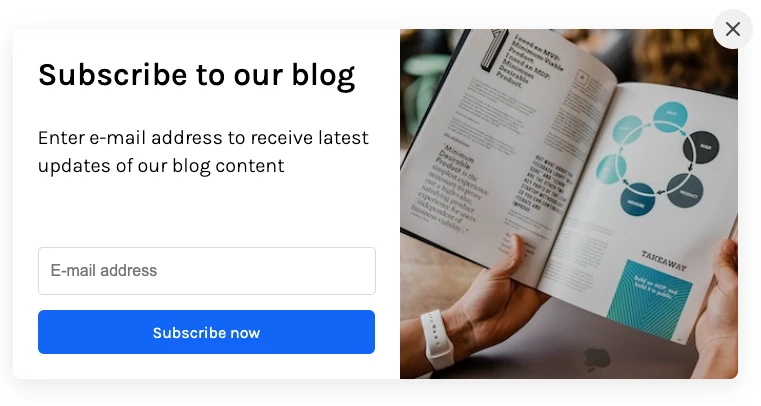
Not every reader is ready to convert on the first visit. A newsletter signup form gives them a low-commitment way to stay connected — and keeps you in front of them until they are ready. SubPage lets you add a signup form directly to your blog page, so interested readers can subscribe with a single click and receive future posts, insights, and updates straight to their inbox.
Insightful Lead Capture Metrics
Publishing is only the beginning. SubPage's lead capture analytics dashboard shows you visitors, leads, new posts, and engagement — all in one view. You can track which posts are driving traffic, which are converting readers into leads, and where drop-off is happening. This is what makes it possible to act on the analytics strategies covered earlier in this guide — you have the data to know exactly which posts to improve and which ones to double down on.
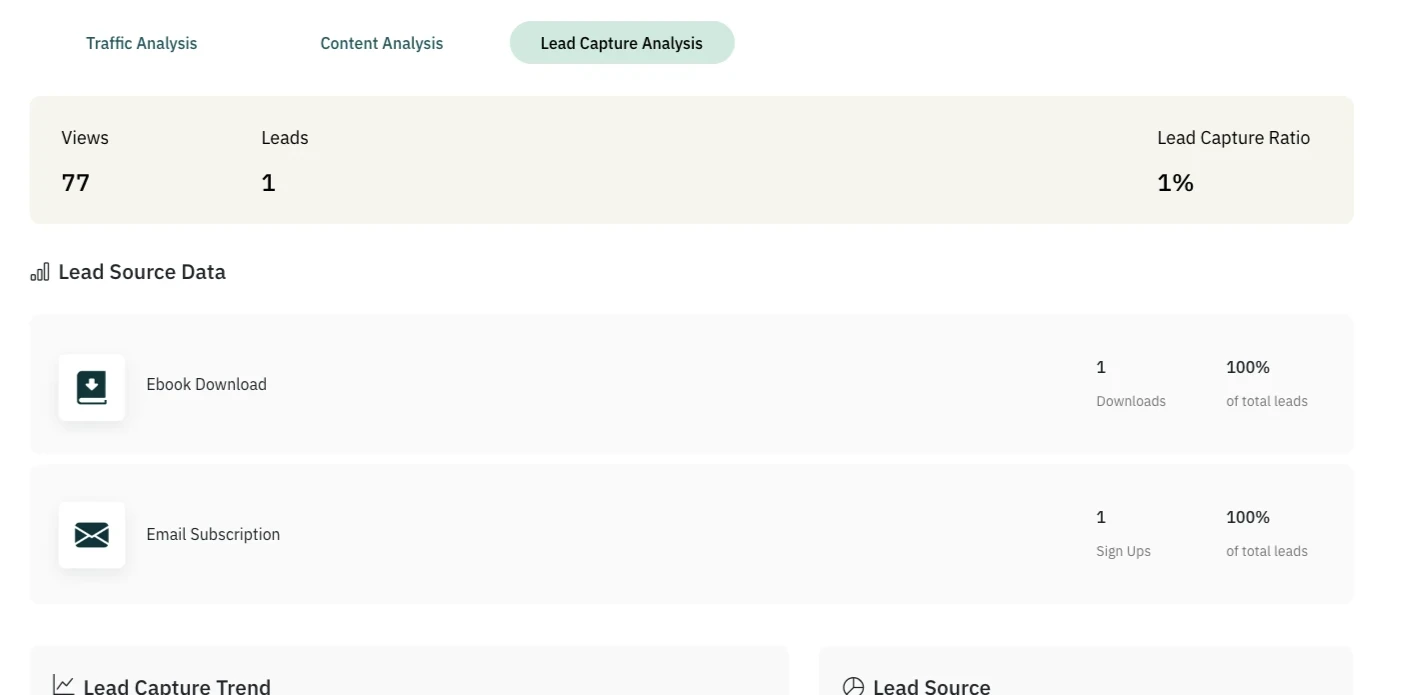
Together, these three features turn your blog from a content archive into a consistent lead generation channel — attracting the right readers, capturing their interest, and giving you the insight to keep improving over time.
Conclusion
Your blog can be one of the most consistent sources of qualified leads your business has — but only when it is built to convert. You do not need a huge content team or a complex marketing stack. You need the right strategy, the right structure, and a platform that makes it easy to execute.
Your next qualified lead is already reading one of your posts. Give them a reason to raise their hand.
Ready to build a blog that does more than attract traffic? Start creating your lead-generating blog with SubPage today — and turn every post into an opportunity to grow.